


As a trusted supplier of spiral high - speed doors, I understand the critical importance of safety sensors in these doors. Safety sensors are the unsung heroes of spiral high - speed doors, ensuring the well - being of people and the protection of property. In this blog, I'll share some in - depth knowledge on how to check the safety sensors of a spiral high - speed door.
Understanding the Types of Safety Sensors in Spiral High - Speed Doors
Before we delve into the checking process, it's essential to know the different types of safety sensors commonly used in spiral high - speed doors.
Photocells
Photocells, also known as photo - electric sensors, are a staple in high - speed door safety systems. They work by emitting a beam of light from one unit to another. If an object interrupts this beam, the sensor sends a signal to the door control system, causing the door to stop or reverse its movement. You can find these sensors installed on both sides of the door opening at a specific height.
Safety Edges
Safety edges are flexible strips installed along the bottom edge of the door. When the door comes into contact with an object during its closing movement, the safety edge compresses. This compression triggers a switch within the safety edge, which then sends a signal to the door control to reverse the door's direction, preventing any potential damage or injury.
Radar Sensors
Radar sensors use radio waves to detect the presence of objects in the door's path. They can detect movement within a certain range and angle. These sensors are particularly useful in high - traffic areas where quick and accurate detection is required.
Pre - Check Preparations
Before starting the actual sensor checks, there are some preparatory steps you should take.
Power Off
First and foremost, ensure that the power to the spiral high - speed door is turned off. This is a crucial safety measure to prevent any accidental door movement during the checking process. You can usually find the power switch near the door control panel.
Gather Tools
You'll need a few basic tools for the checks, such as a multimeter for electrical tests, a clean cloth for cleaning sensors, and a small mirror to access hard - to - reach areas.
Review the Manual
Refer to the door's installation and maintenance manual. The manual provides specific information about the type of sensors installed on your door, their technical specifications, and the recommended checking procedures.
Checking Photocells
Visual Inspection
Start with a visual inspection of the photocells. Check for any signs of physical damage, such as cracks, scratches, or dirt on the lenses. Dirt and debris can block the light beam, causing the sensor to malfunction. Use a clean cloth to gently wipe the lenses of both the emitter and receiver units.
Alignment Check
Proper alignment is crucial for photocells to function correctly. The emitter and receiver should be perfectly aligned so that the light beam can travel unobstructed between them. You can use a small mirror to check the alignment. Place the mirror in front of the receiver and look for the reflected light from the emitter. If the light is not centered on the receiver, adjust the position of the photocells using the adjustment screws provided.
Electrical Test
Use a multimeter to test the electrical output of the photocells. Set the multimeter to the appropriate voltage range as specified in the manual. Connect the multimeter probes to the terminals of the photocell. When the light beam is unobstructed, the multimeter should show a normal voltage reading. If the reading is abnormal or there is no reading at all, it may indicate a faulty photocell that needs to be replaced.
Checking Safety Edges
Physical Inspection
Inspect the safety edge for any visible damage, such as cuts, tears, or signs of wear. Check the connection between the safety edge and the door. Make sure it is securely attached and there are no loose wires.
Function Test
To test the functionality of the safety edge, slowly close the door until it makes contact with a soft object, like a piece of cardboard. As soon as the safety edge comes into contact with the object, the door should immediately reverse its direction. If the door does not reverse, there may be an issue with the safety edge or its connection to the control system.
Electrical Continuity Test
Use a multimeter to check the electrical continuity of the safety edge. Set the multimeter to the continuity mode. Connect the probes to the terminals of the safety edge. When the safety edge is in its normal, uncompressed state, there should be no continuity. When you compress the safety edge, the multimeter should indicate continuity, showing that the switch inside the safety edge is working properly.
Checking Radar Sensors
Visual Inspection
Inspect the radar sensor for any physical damage or signs of dirt. Clean the sensor's surface with a soft cloth if necessary. Check the mounting of the radar sensor to ensure it is securely attached and at the correct angle as specified in the manual.
Range and Sensitivity Adjustment
Most radar sensors allow for range and sensitivity adjustments. You can use the control buttons on the sensor or the settings in the door control panel to adjust these parameters. To test the range, walk within the expected detection area of the sensor. The door should open or stop closing when you enter the detection range. If the range is too short or too long, adjust the settings accordingly.
Signal Strength Test
Some advanced radar sensors have a signal strength indicator. Check the signal strength reading on the sensor or in the control panel. A weak signal may indicate a problem with the sensor's installation or a malfunction.
Regular Maintenance and Record - Keeping
After completing the sensor checks, it's important to perform regular maintenance on the sensors. Clean the sensors periodically to prevent dirt and debris buildup. Lubricate any moving parts in the safety edges if required.
Keep a record of all sensor checks and maintenance activities. This record can help you track the performance of the sensors over time and identify any recurring issues. It can also be useful for warranty claims and compliance with safety regulations.
Conclusion
Checking the safety sensors of a spiral high - speed door is a vital task that should not be overlooked. By following the steps outlined in this blog, you can ensure that your spiral high - speed door's safety sensors are in optimal working condition, providing reliable protection for people and property.
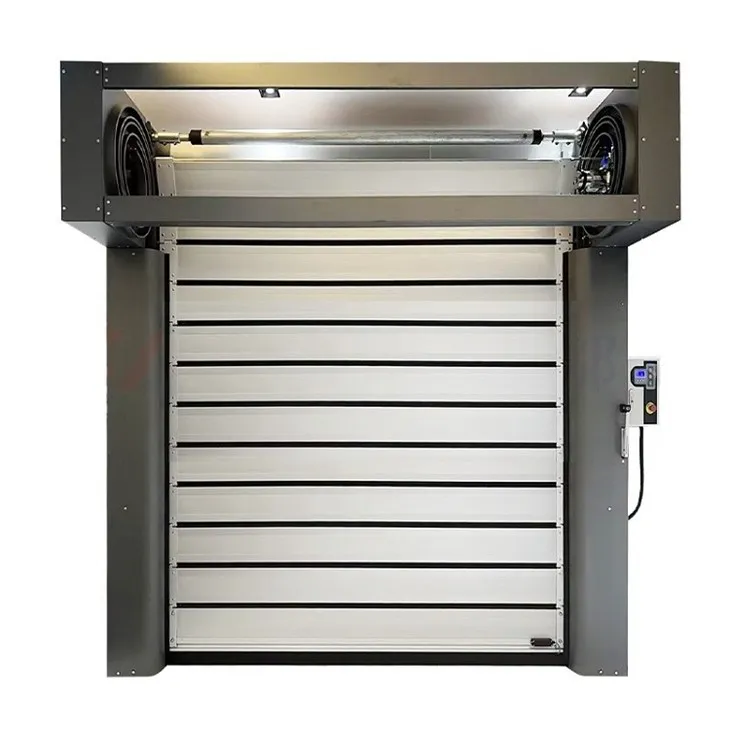
If you are in the market for a high - quality spiral high - speed door, we offer a wide range of products, including the Fast Spiral High - Speed Winding Door, Aluminum Spiral High Speed Roll Up Door, and Spiral Commercial Overhead Door. Our doors are equipped with state - of - the - art safety sensors to meet your safety and operational needs. If you have any questions or would like to discuss your specific requirements, please feel free to contact us for a procurement negotiation.

References
- Manufacturer's installation and maintenance manuals for spiral high - speed doors
- Industry standards and guidelines for door safety sensors